Landlords & tenants
A maintenance board for a landlord and a tenant
Updated · by the Simpleban team
In short
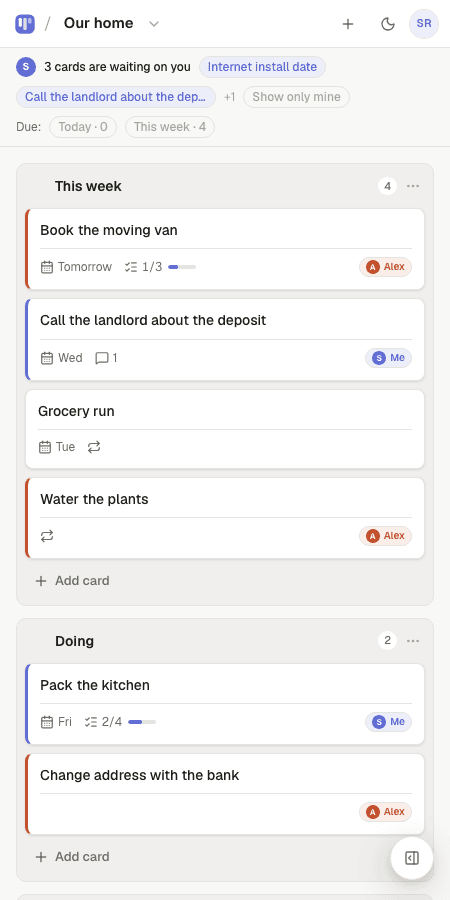
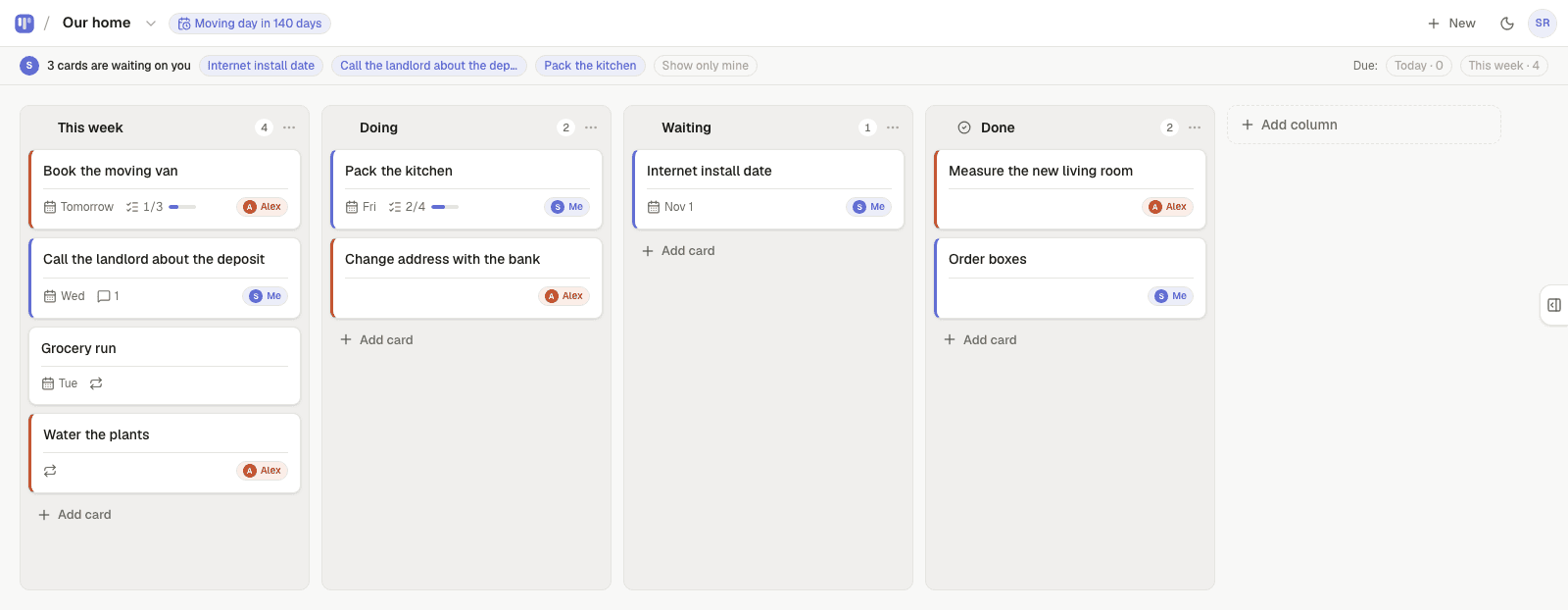
Repairs between a landlord and a tenant go wrong in the gap: reported by text, forgotten, chased, resented. Simpleban is a free shared kanban board for exactly two people where every issue is a card — Reported · Scheduled · Done — with an owner and a date. The tenant reports by adding a card; the landlord picks it up, hands it back when a time needs confirming, and both see the same history. Recurring safety checks (smoke alarm test, boiler service, gutter clearing) come back on schedule.
How a repair moves
- Tenant adds a card: “Kitchen tap dripping” with a note and the best times.
- Landlord takes it (mine), moves it to Scheduled with a due date, adds the plumber's slot in a comment.
- Needs the tenant home? Hand it over — it's waiting on them to confirm.
- Done, with a comment. The card stays in Done as the record.
Recurring checks that take care of themselves
| Card | Repeats | Owner |
|---|---|---|
| Test smoke and CO alarms | Monthly | Tenant |
| Boiler service | Yearly | Landlord |
| Gutter clearing | Every 6 months | Landlord |
| Inspection | Every 6 months | Either of us |
| Rent due | Monthly | Tenant |
How it works
- Every card has an owner: you, the other person, or either of you — so “who is on this?” is answered before anyone asks.
- Hand a card to the other person and it moves to the top of their board under “waiting on you”. If they're not on the app, Simpleban emails them a few minutes later, and the next morning's 8am email mentions it once if it's still waiting — never every day. You never press a “remind” button.
- When the other person is done, they hand it back and it reappears at the top of your board.
- Repeating cards come back on their own schedule — daily, weekly, chosen weekdays, every N days, monthly — and can alternate between the two of you.
- Due dates with a calm Today / This week filter, a private calendar feed for Google, Apple or Outlook, and a countdown on the board for the date that matters.
- Notes, checklists and comments live inside each card, so the context travels with the task.
- The other person joins from your invite link with a name and an email — no password, nothing to pay. Both of you have the full app on your own phone; it installs like an app and works offline for reading.
Honest limits
It isn't a property management system: no rent collection, no documents, no multi-property dashboard. One board per tenancy, two people. A letting agent who manages many properties needs a different tool.
Templates to start from
Questions, answered
- Can I use it for several properties?
- Free accounts invite one person, so one board for one tenant. For a portfolio with several tenants, flat-rate plans for more people are coming soon (never per seat).
- Is there a record of what was reported and when?
- Each card keeps its creation time, comments and the time it was completed; Done cards stay on the board. You can export everything as JSON.
- Does the tenant pay?
- Simpleban is free forever for two: you and the one person you invite get every feature, unlimited boards and cards, no trial and no credit card. The promise is written into the Terms: nothing that is free today will ever move behind a paywall, and your +1 never pays. If you need more people or want to share boards beyond your +1, we'll soon introduce subscription tiers — a flat rate, never per seat.
- Does the other person need to pay or install anything?
- No. They open your invite link, type a name and an email, and they're on the board. Installing it as an app on their phone is optional. Simpleban is free forever for two: you and the one person you invite get every feature, unlimited boards and cards, no trial and no credit card. The promise is written into the Terms: nothing that is free today will ever move behind a paywall, and your +1 never pays. If you need more people or want to share boards beyond your +1, we'll soon introduce subscription tiers — a flat rate, never per seat.
Reported, scheduled, done.
Start a board, invite your tenant, add the recurring checks.
Your board starts as “Home admin” — columns and example cards you can change or delete.
Try the live demo board first