For freelancers
A simple client portal for freelancers: one board your client can follow
Updated · by the Simpleban team
In short
For most freelancers a “client portal” is overkill: what the client actually wants is to see where things stand without emailing you, and what you want is for them to deliver the thing you're waiting on. Simpleban gives both in one shared kanban board. You work in your lane, cards you hand to the client show up as “waiting on you” on their side (with a morning email if they're away), and the client joins with just a name and an email. It is free, and the client never pays.
What a client actually needs to see
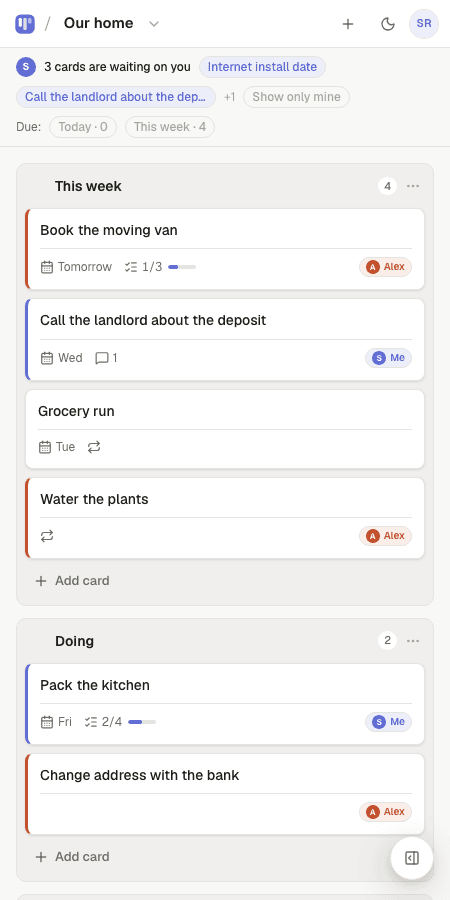
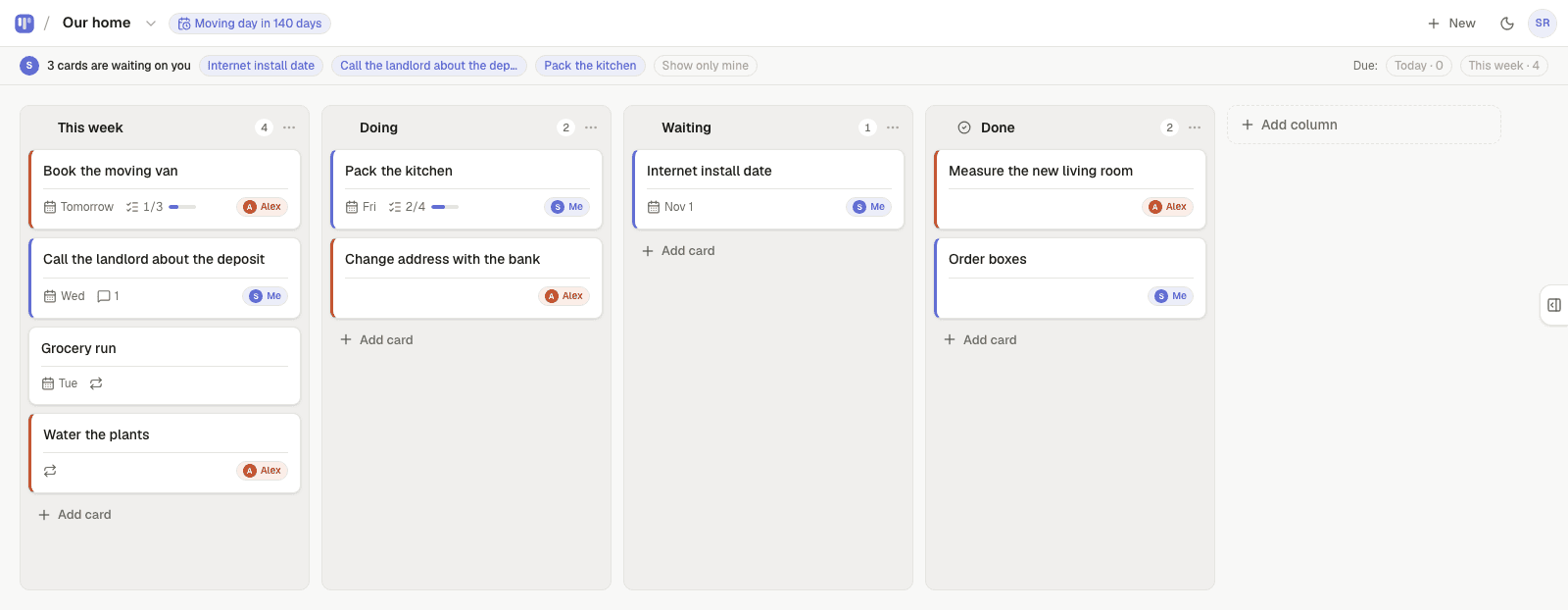
That is a board with four columns: Backlog, In progress, Waiting on client, Done. Everything else a portal product sells — logins, branded dashboards, file vaults — is for agencies with twenty clients, not for you.
- What's in progress right now — so they stop asking.
- What is waiting on them — approvals, files, feedback — so they can unblock you.
- What's done — so the invoice is never a surprise.
How the handoff works
When you need something from the client, hand them the card. It moves to the top of their board under “waiting on you”. If they're not on the app, Simpleban emails them a few minutes later — and once more in the next 8am email if it's still waiting. When they're done, they hand it back and it reappears at the top of yours. No status email was ever written.
Keeping clients separate
Simpleban is a two-person tool: you plus one invited person per account. For one main client that is perfect. If you juggle several clients, keep one board per client and share only the one each client should see — or share a read-only link with the clients who just need to look, not edit.
Why not a real portal product?
| Client portal software | Simpleban | |
|---|---|---|
| Client onboarding | Account, password, branded login | Invite link, name + email, done |
| What the client sees | Dashboard, files, invoices, messages | The board: in progress, waiting on them, done |
| Price for the client | Usually a seat | Never charged |
| Price for you | Monthly subscription | Free — every feature |
| Setup time | An afternoon | One minute from the Client project template |
Templates to start from
Questions, answered
- Does my client need an account?
- They need to join from your invite link with a name and an email — no password, no payment. From then on they open the board like any site, or install it as an app.
- Can the client see my other boards?
- Only the boards you share with them. Keep private work on unshared boards, or give a client a read-only link instead of an invite.
- Does the client ever pay?
- Simpleban is free forever for two: you and the one person you invite get every feature, unlimited boards and cards, no trial and no credit card. The promise is written into the Terms: nothing that is free today will ever move behind a paywall, and your +1 never pays. If you need more people or want to share boards beyond your +1, we'll soon introduce subscription tiers — a flat rate, never per seat.
- Can I use it with several clients?
- One invited person per account; share one board per client, or use read-only links for clients who just follow along. Inviting more people is coming soon on flat-rate plans — never per seat, so an extra client never becomes a line item.
- Is there a template?
- Yes — Client project, Freelance pipeline, Client onboarding, Monthly retainer and Web design project. Each becomes your real board at signup.
Give your client a board, not a login
Start from the Client project template and send them the link.
Your board starts as “Client project” — columns and example cards you can change or delete.
Try the live demo board first