Weddings
A wedding planning app for couples who want to plan it together
Updated · by the Simpleban team
In short
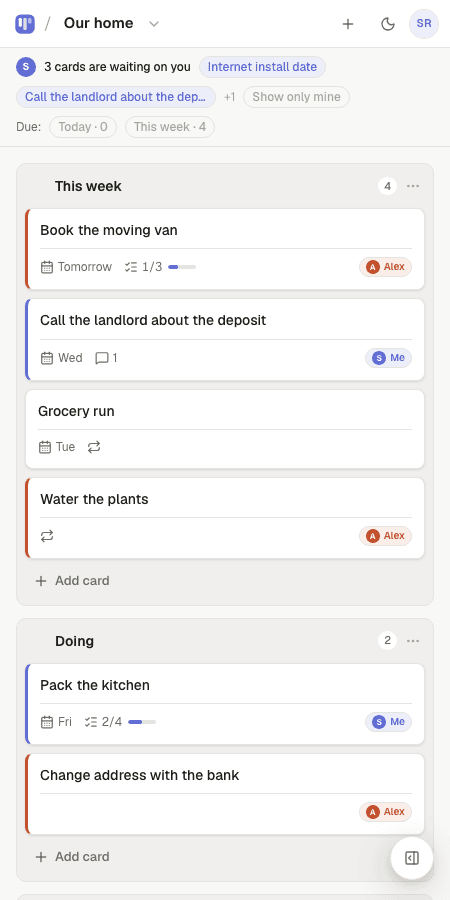
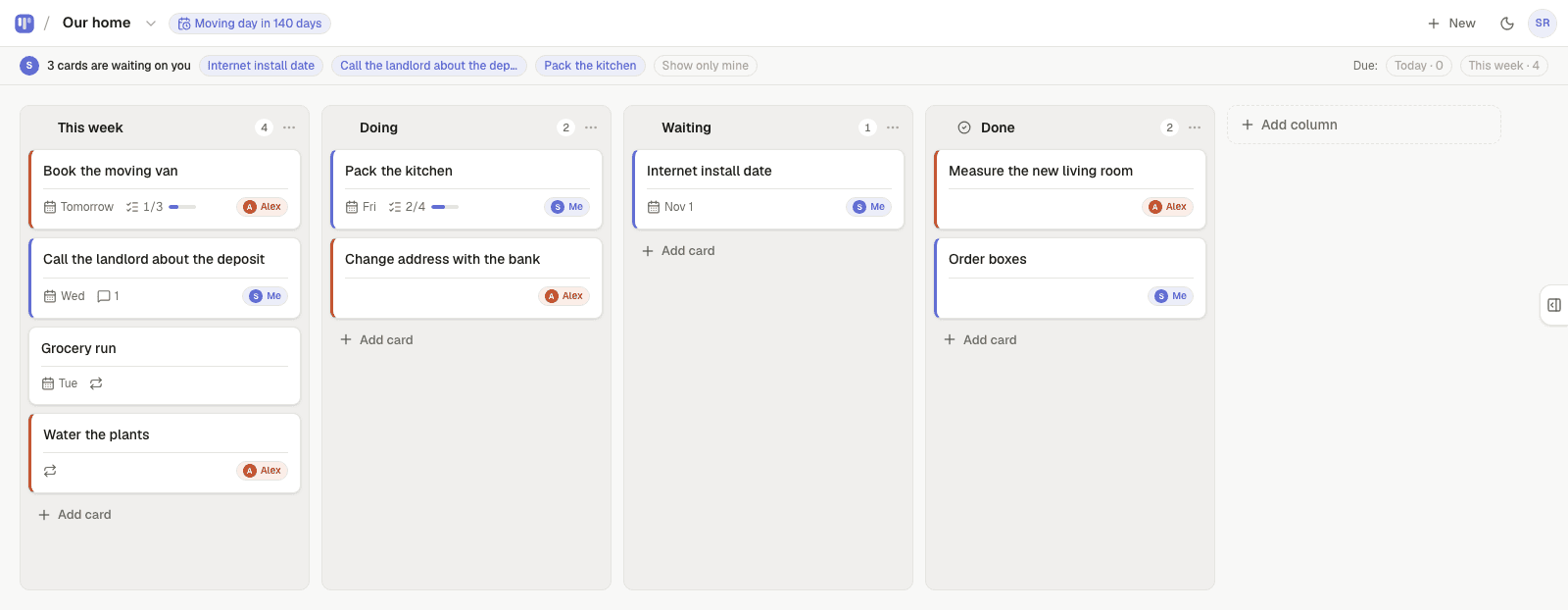
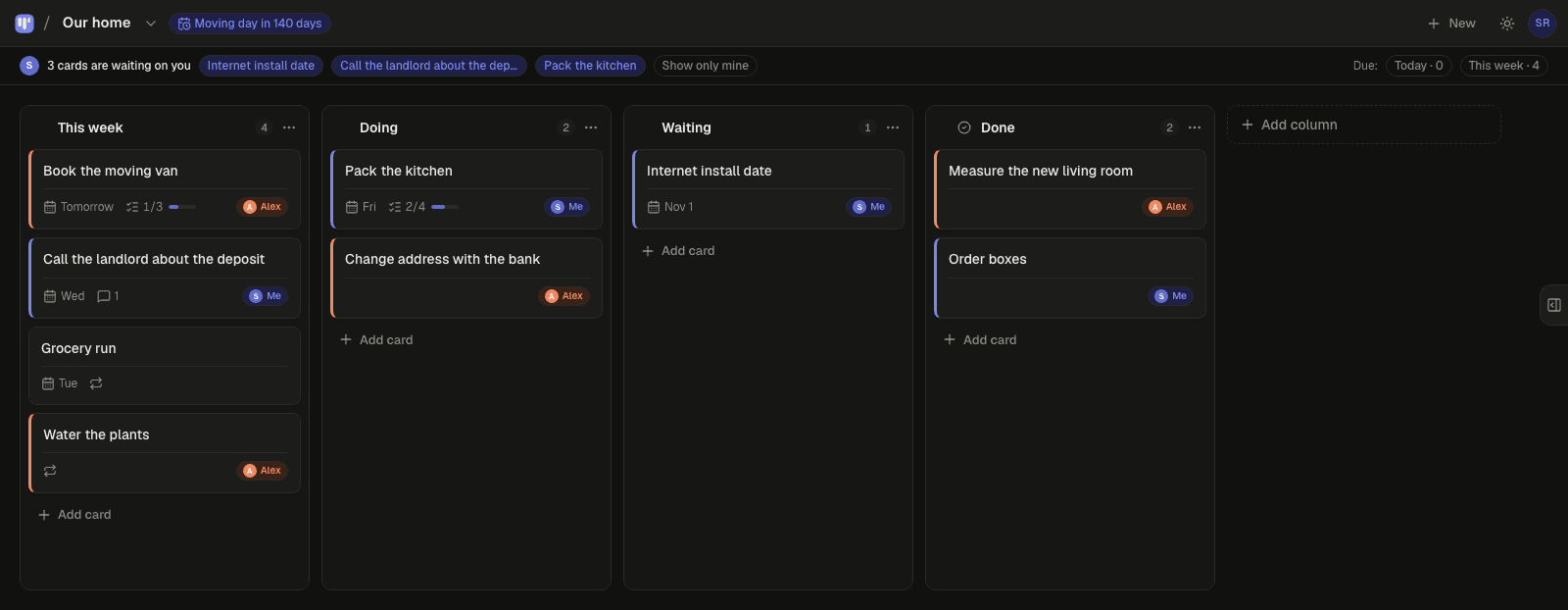
The best wedding planning app for a couple is one both of you actually open. Most are built around a single planner with a checklist and a budget; the other person becomes a guest in their own wedding. Simpleban is a free shared kanban board for exactly two people: every vendor, decision and task is a card assigned to you, your partner, or either of you, the board shows a countdown to the day, due dates keep the timeline honest, and when something needs your partner it shows up as “waiting on you” on their phone — with a morning email if it's still there. Both of you have the full app, and neither pays.
Why spreadsheets and checklists die two weeks in
- The spreadsheet lives with one person, so the other person asks instead of looks.
- A checklist has no stages: “Florist” is either ticked or not, when the truth is “quoted, waiting for a date”.
- Nothing says whose turn it is. “Did you call the venue?” is the question every couple wants to stop asking.
- Vendor emails, Pinterest boards and the group chat with parents all live somewhere else.
How couples plan a wedding on Simpleban
- Start from the Wedding planning template: Ideas · In motion · Booked · Done. Rename anything.
- Set the countdown: “Wedding in 214 days” sits at the top of the board for both of you.
- Dump everything into Ideas — venue, photographer, dress, suits, rings, invitations, cake, music, registry, honeymoon, seating. Every one a card.
- Give each card an owner. Suddenly it is obvious who is on the band and who is on the flowers.
- Put due dates on the ones with real deadlines (deposit due, RSVP cutoff, final headcount). Use the This week filter on Sunday evening.
- Need your partner's decision or signature? Hand the card over. It moves to the top of their board under “waiting on you”, and they get one email at 8am if it's still waiting.
- Notes on each card hold the quote, the contact, the checklist of questions to ask. Both of you can read and add to them.
- Parents, a maid of honour or a planner who just needs to see where things stand get a read-only link — no account, no editing.
A wedding board, column by column
Add a “Waiting on vendor” column if that becomes a real stage — it usually does around month three.
| Column | What goes there | Example cards |
|---|---|---|
| Ideas | Everything you might do | Live band vs DJ · Destination? · Photo booth |
| In motion | Someone owns it and is on it | Get three venue quotes (mine) · Shortlist photographers (yours) |
| Booked | Deposit paid, date confirmed | Venue — 12 June · Photographer · Caterer tasting 3 May |
| Done | Finished, nothing left to do | Save-the-dates sent · Rings sized |
Honest limits
Simpleban is a board, not a wedding suite: there is no budget tracker, guest list manager, RSVP website or seating chart. Couples keep the budget in a spreadsheet and the guest list in a spreadsheet, and use the board for the part the spreadsheet is bad at — who is doing what, by when, and what's stuck. It is also for exactly two people; a professional planner with several couples needs a different tool.
Templates to start from
Questions, answered
- What is the best wedding planning app for couples?
- One both of you open. Simpleban is a free shared board for two with an owner on every card, a countdown to the day, due dates and visible handoffs, so neither of you has to chase the other. It does not do budgets or guest lists — keep those in a spreadsheet.
- Is it free for both of us?
- Simpleban is free forever for two: you and the one person you invite get every feature, unlimited boards and cards, no trial and no credit card. The promise is written into the Terms: nothing that is free today will ever move behind a paywall, and your +1 never pays. If you need more people or want to share boards beyond your +1, we'll soon introduce subscription tiers — a flat rate, never per seat.
- Can our parents or planner see the board?
- Give them a read-only share link. They can see every column and card but not notes or comments, and they can't edit.
- Can we use it from our phones?
- Yes. It installs like an app on iPhone and Android, syncs in real time, and works offline for reading.
- What happens after the wedding?
- Keep the board — rename it Honeymoon, then Home. Or export everything as JSON and delete the account from the menu.
Plan it together, on one board
Start from the Wedding planning template and send your partner the link.
Your board starts as “Wedding planning” — columns and example cards you can change or delete.
Try the live demo board first