Guide
What is a kanban board? A plain-English guide
Updated · by the Simpleban team
In short
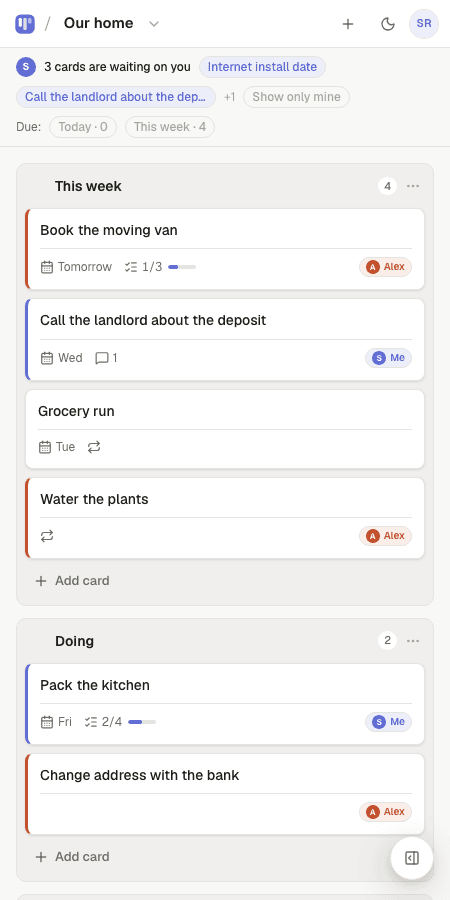
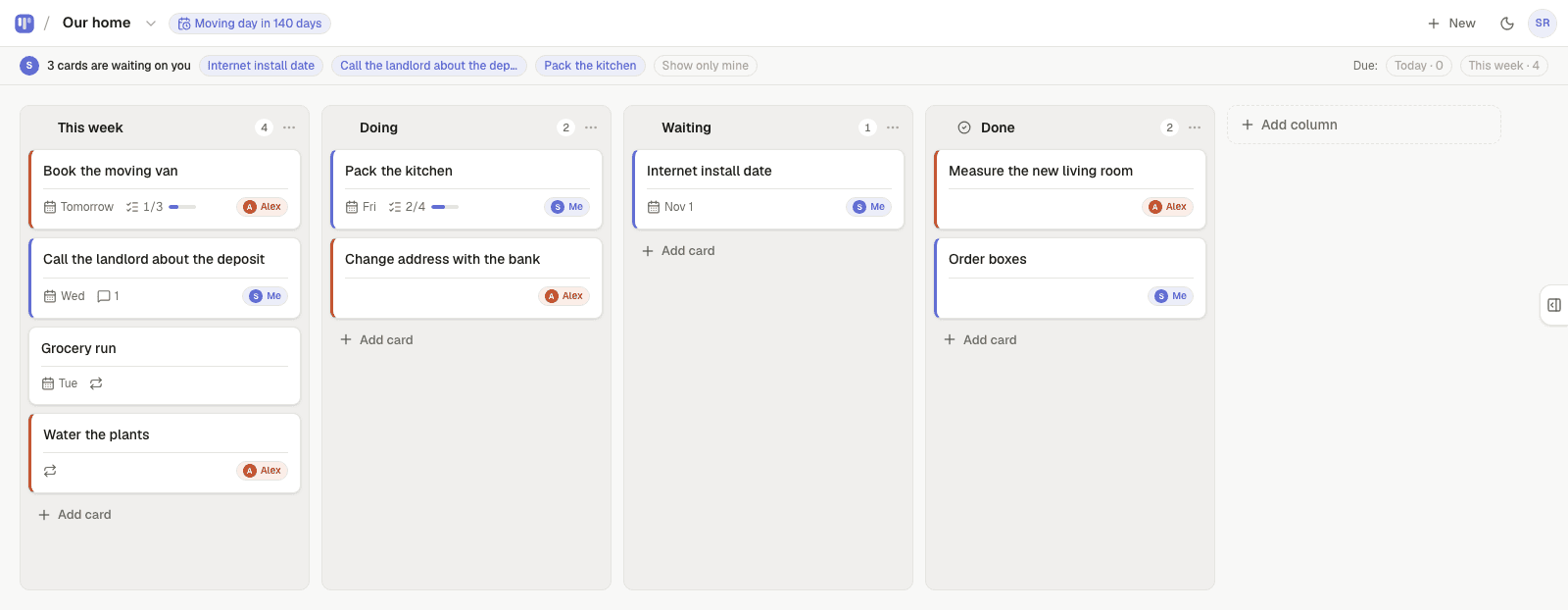
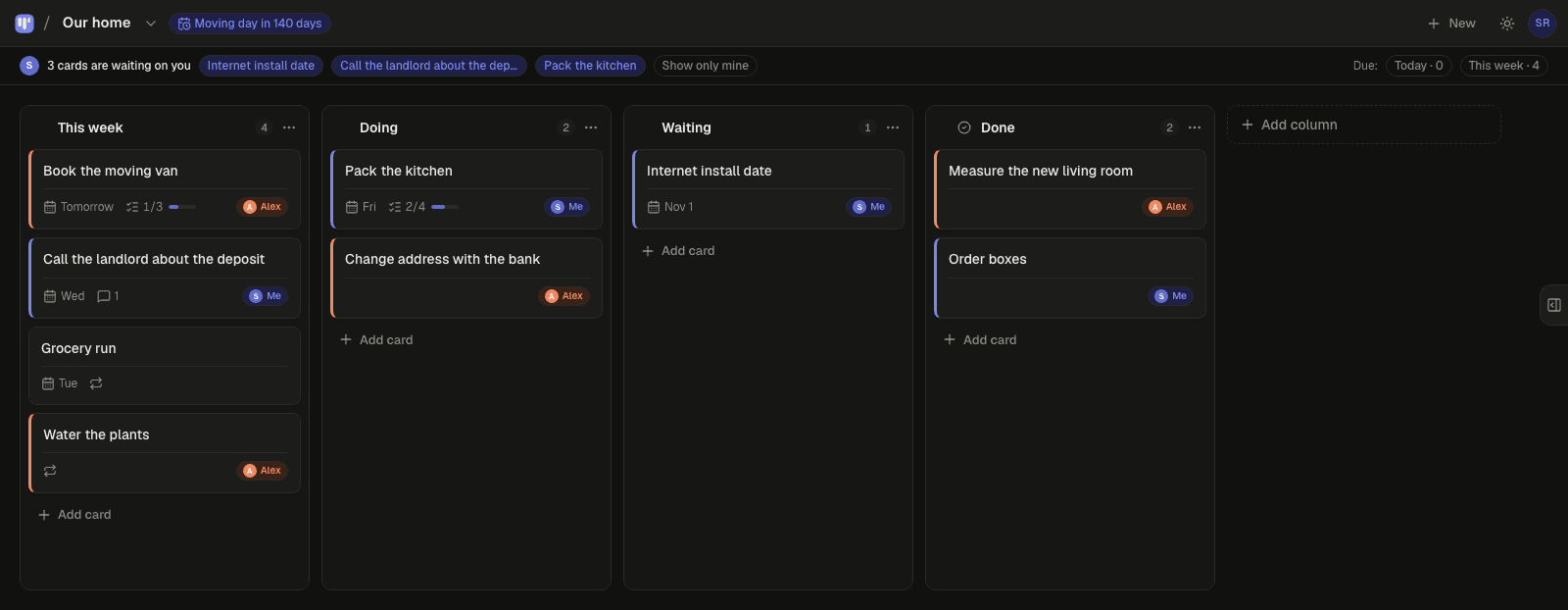
A kanban board is a visual to-do list laid out as columns. Each column is a stage of work (for example To do, Doing, Done) and each card is one task. You move a card to the right as the task progresses, so anyone glancing at the board can see what is waiting, what is in motion and what is finished — without reading a single status update. Kanban started on Toyota factory floors in the 1940s; today it is the simplest way for two or more people to share work without meetings.
How a kanban board works
Three parts, nothing more. Columns are the stages a task goes through. Cards are the tasks. Moving a card from one column to the next is the only action that matters — the board is always a true picture of where things stand because the picture is the work.
That is why kanban survives when spreadsheets and chat threads die: there is nothing to update separately. Dragging the card is the update.
- Columns: the stages. Most boards need three or four — fewer than you think.
- Cards: one task each, with a short title. Notes, checklists and comments live inside the card.
- Flow: cards move left to right. A card that sits still is a signal, not a failure.
The three rules that actually matter
- Make the work visible. If it is not on the board, it does not exist. Put the dentist appointment on the board.
- Limit work in progress. A Doing column with twelve cards in it is a to-do list wearing a costume. Two or three per person is honest.
- Make ownership explicit. Every card should answer “who is on this?” — in Simpleban every card has an owner: you, your partner, or either of you, and handing one over shows up on the other person's board as “waiting on you”.
Kanban vs a to-do list
A to-do list is a column with one state: not done. It tells you what is left but not what is stuck, who has it or what is waiting on someone else. A kanban board adds the stages, so “waiting on the landlord” and “blocked until the deposit clears” stop hiding inside a single checkbox. For one person a list is often enough; the moment a second person is involved, the board wins.
Examples: what the columns look like
| Who | Columns | Why it works |
|---|---|---|
| A couple running a home | This week · Doing · Done | Chores and life admin in one place; repeating cards come back on their own. |
| A freelancer and their client | Backlog · In progress · Waiting on client · Done | The client sees what is waiting on them without a status email. |
| Two cofounders | Now · Next · Later · Done | A roadmap that fits in one screen and changes in one drag. |
| Planning a wedding | Ideas · In motion · Booked · Done | Every vendor and decision is a card either of you can move from your phone. |
| Solo, with ADHD | Today · This week · Someday · Done | Only the Today column is allowed to feel urgent. |
How to start a kanban board in one minute
Simpleban's 40 free templates give you the columns and starter cards for most of the situations above, and the board on the homepage is a real board you can try without an account.
- Pick three columns. To do, Doing, Done is a fine default; rename later.
- Write every open task as a card — including the small ones you keep in your head.
- Decide who owns each card. In Simpleban, tap a card and pick who's on it: you, your partner, or either of you.
- Each morning, move at most three cards into Doing. Everything else waits.
- When a card is done, drag it to Done and enjoy it for a second. If it repeats (laundry, invoicing), set it to repeat and it returns by itself.
Where kanban comes from
Kanban (看板, “signboard”) was developed at Toyota in the late 1940s by Taiichi Ohno as a way to pull parts through a factory only when they were needed. In the 2000s David J. Anderson adapted it for software teams, and the board-of-sticky-notes version spread to every office. The personal and two-person version — the one most people actually use — keeps the visual flow and drops the ceremony.
Templates to start from
Questions, answered
- What is a kanban board in simple terms?
- A board with columns for each stage of work (like To do, Doing, Done) and a card for each task. You move cards to the right as work progresses, so the board always shows what is waiting, what is happening and what is finished.
- What is the difference between kanban and a to-do list?
- A to-do list only knows done or not done. A kanban board adds stages and ownership, so you can see what is stuck, what is waiting on someone else and who has it. The difference matters most once two people share the work.
- How many columns should a kanban board have?
- Three or four. To do, Doing, Done covers most personal and two-person boards; add one for “Waiting on someone” if that is a real stage in your work. More than five columns usually means the board is doing the job of a spreadsheet.
- Is kanban good for couples or personal use?
- Yes — it is arguably best there, because the method is just columns and cards with no process to learn. A shared board for a household replaces nagging with a glance.
- Is there a free kanban board for two people?
- Simpleban is free for two people with every feature, unlimited boards and no credit card, and the free part is a written promise, not a trial.
Try a real kanban board, right now
The board on the homepage is live — drag a card and see. Or start yours in ten seconds.
Your board starts as “Personal kanban” — columns and example cards you can change or delete.
Try the live demo board first