Co-parents
A calm co-parenting app for two households
Updated · by the Simpleban team
In short
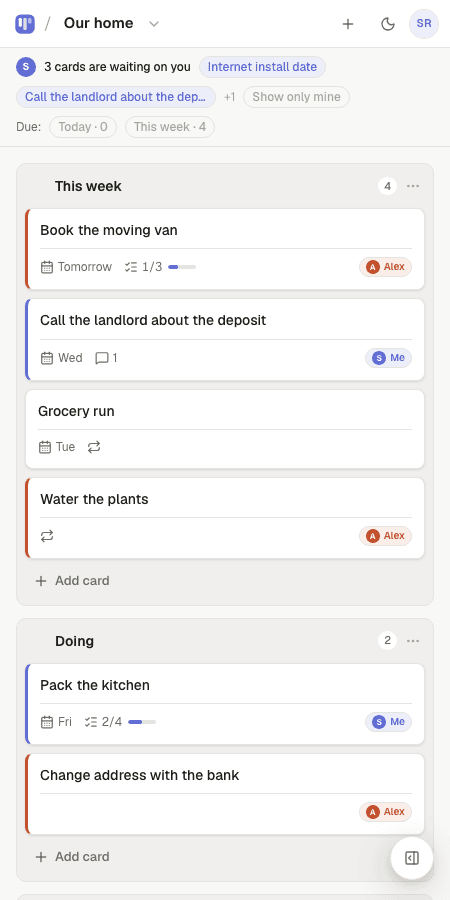
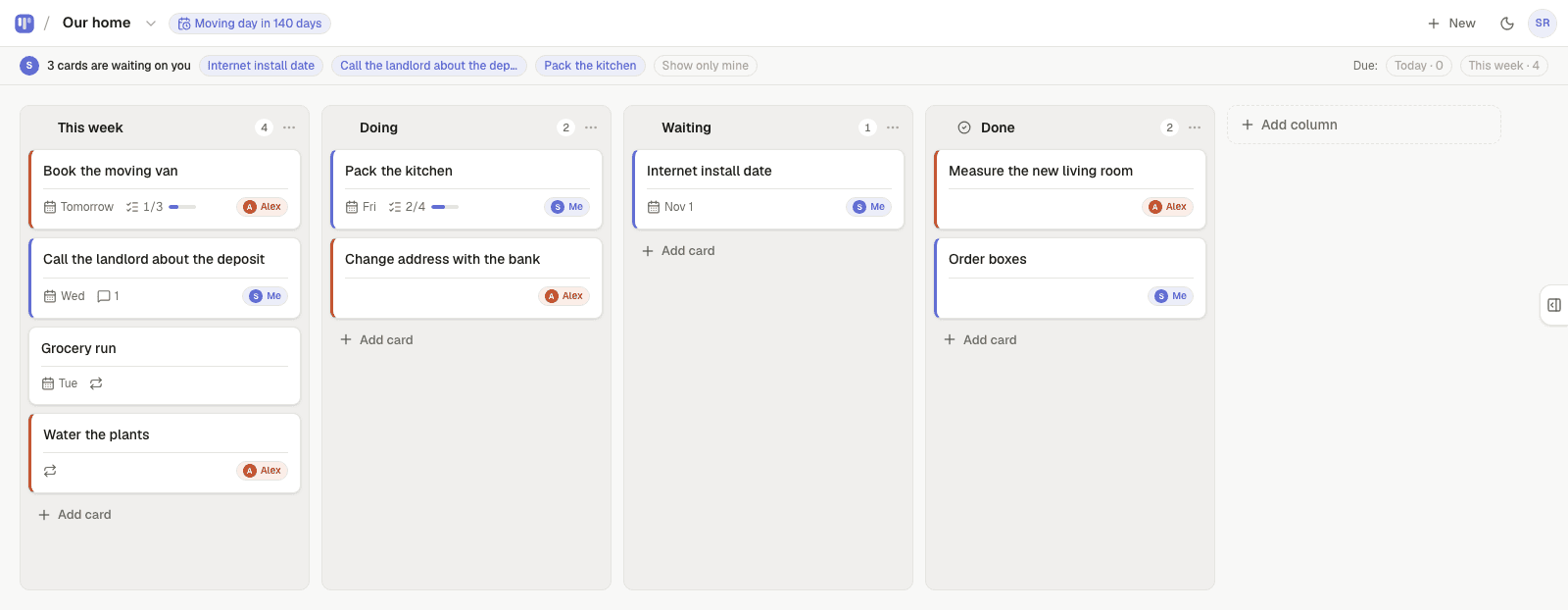
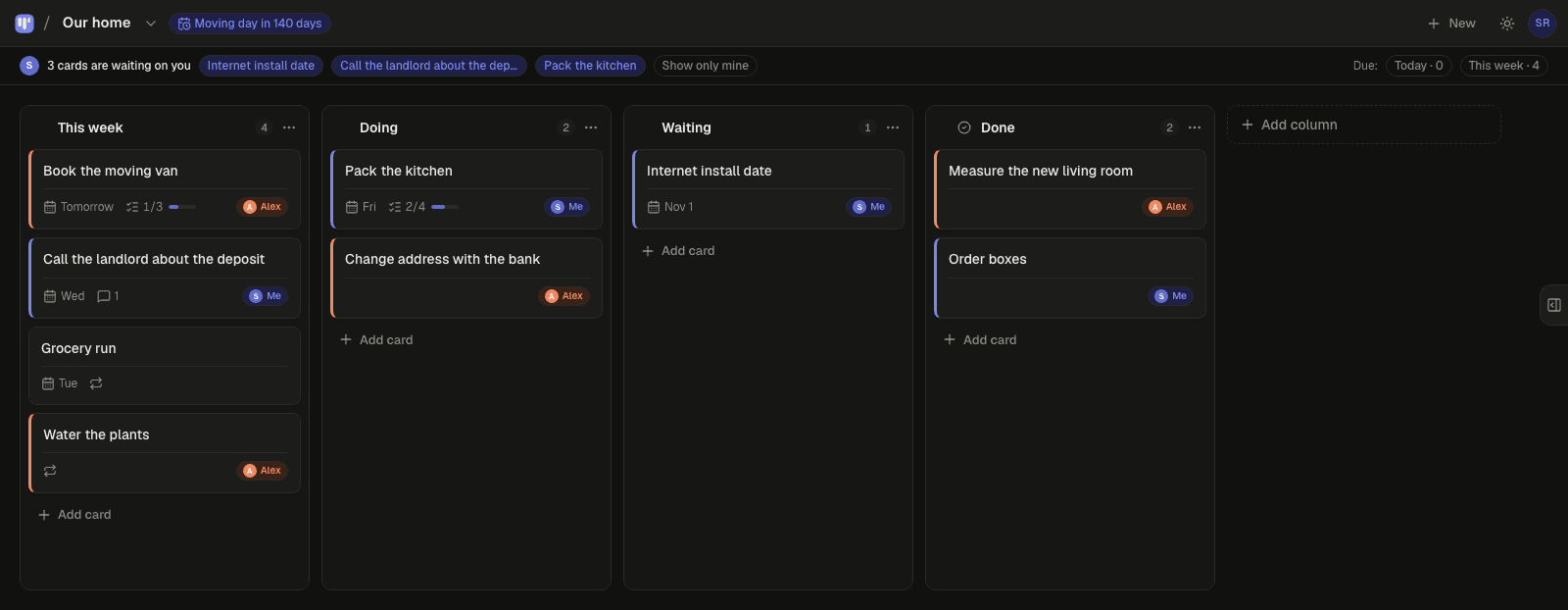
Most co-parenting friction is not the big schedule; it is the hundred small tasks that bounce between two households — the school form, the new shoes, the dentist, who has the swim bag. Simpleban is a free shared kanban board for exactly two people: each task is a card assigned to you, your partner, or either of you, handing one over shows up as “waiting on you” on the other parent's phone (with a morning email if it's still there), and repeating things like “pack the swim kit — every Thursday” come back by themselves. It replaces the text thread, not the custody calendar.
What goes on the board
- School and activity admin: forms, fees, uniform, trips.
- Health: appointments, prescriptions, who is taking them.
- Stuff: the coat that's at the wrong house, outgrown shoes, the charger.
- Money-adjacent tasks: “send the receipt for the class trip” (the board doesn't do money; it does the task).
- Repeating logistics: swim kit Thursdays, library books Mondays, haircut every 6 weeks.
How it keeps the peace
- Every card has an owner: you, the other parent, or either of you — so “who is on this?” is answered before anyone asks.
- Hand a card to the other parent and it moves to the top of their board under “waiting on you”. If they're not on the app, Simpleban emails them a few minutes later, and the next morning's 8am email mentions it once if it's still waiting — never every day. You never press a “remind” button.
- When the other parent is done, they hand it back and it reappears at the top of your board.
- Repeating cards come back on their own schedule — daily, weekly, chosen weekdays, every N days, monthly — and can alternate between the two of you.
- Due dates with a calm Today / This week filter, a private calendar feed for Google, Apple or Outlook, and a countdown on the board for the date that matters.
- Notes, checklists and comments live inside each card, so the context travels with the task.
- Comments stay on the card, so the question and the answer are next to the task instead of lost in a thread.
- A countdown for the thing you're both working toward: the school year, the holiday, the birthday.
- The other parent joins from your invite link with a name and an email — no password, nothing to pay. Both of you have the full app on your own phone; it installs like an app and works offline for reading.
What it is not
It is not a custody calendar, an expense splitter or a messaging app with lawyer-friendly logs. Keep the schedule in your calendar and use the board for the tasks around it. Simpleban is built for two people, so the board stays between the two parents; a new partner or grandparent can see a read-only link if that helps.
Templates to start from
Questions, answered
- Is this a custody schedule app?
- No. It's a shared task board for the two of you. Keep the custody calendar in Google or Apple Calendar; use the board for the tasks that bounce between the two houses.
- Can I hand a task to the other parent without messaging them?
- Yes. Hand the card over and it appears as “waiting on you” on their board; if they're away they get an email. No message needed, and the tone problem of text threads goes away.
- Does the other person need to pay or install anything?
- No. They open your invite link, type a name and an email, and they're on the board. Installing it as an app on their phone is optional. Simpleban is free forever for two: you and the one person you invite get every feature, unlimited boards and cards, no trial and no credit card. The promise is written into the Terms: nothing that is free today will ever move behind a paywall, and your +1 never pays. If you need more people or want to share boards beyond your +1, we'll soon introduce subscription tiers — a flat rate, never per seat.
- Can I use it with more than two people?
- Simpleban is built for two people, and for two it stays free forever. If you need more people or want to share boards with someone new, we'll soon introduce subscription tiers — a flat rate, never per seat. Until then, read-only share links let anyone else follow a board without editing.
Fewer texts. Same kids, better handoffs.
Start from the Home admin template and send the other parent the link.
Your board starts as “Home admin” — columns and example cards you can change or delete.
Try the live demo board first