Coaches & therapists
A shared board for a coach and their client
Updated · by the Simpleban team
In short
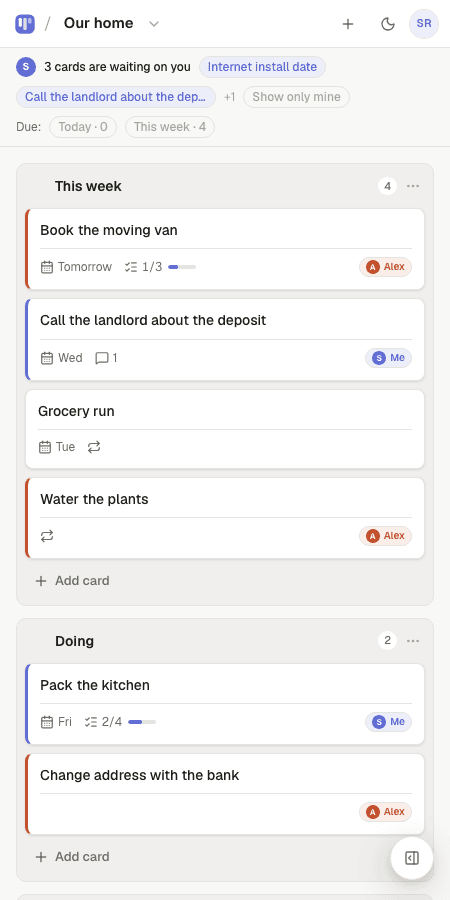
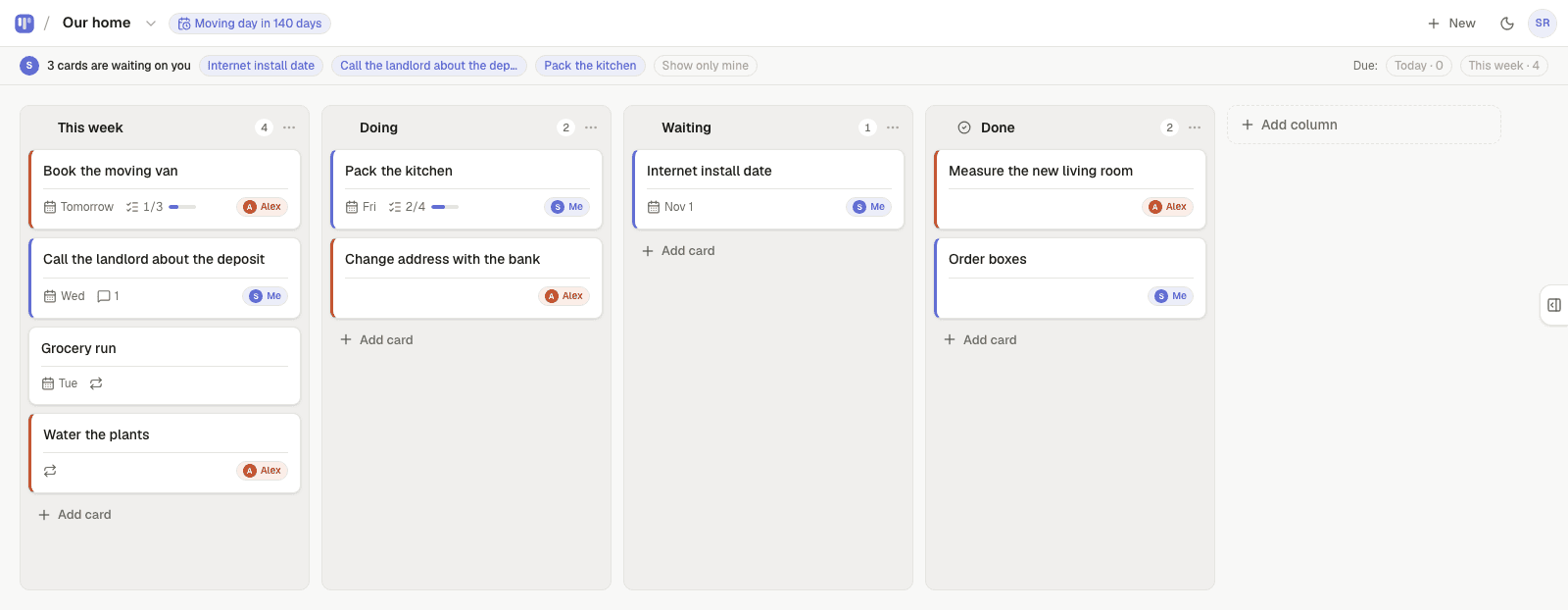
The work of coaching happens between sessions, and that's exactly where it disappears — into a notes app the client never reopens. Simpleban is a free shared kanban board for a coach and one client: the actions you agree each session become cards owned by the client with a due date, the client moves them as they go, and the coach sees progress before the next call without asking. Hand a card to the coach (“review my draft”) and it shows as waiting on them. One board per client; the client never pays.
A simple session rhythm
- End of session: write the two or three actions as cards, owned by the client, due before the next session.
- During the week: the client drags them through Doing to Done, adds a note on what happened.
- Day before: the coach opens the board and already knows where to start.
- Anything the client needs from the coach — a resource, feedback on a draft — gets handed over and shows as waiting on the coach.
How it works
- Every card has an owner: you, your client, or either of you — so “who is on this?” is answered before anyone asks.
- Hand a card to your client and it moves to the top of their board under “waiting on you”. If they're not on the app, Simpleban emails them a few minutes later, and the next morning's 8am email mentions it once if it's still waiting — never every day. You never press a “remind” button.
- When your client is done, they hand it back and it reappears at the top of your board.
- Repeating cards come back on their own schedule — daily, weekly, chosen weekdays, every N days, monthly — and can alternate between the two of you.
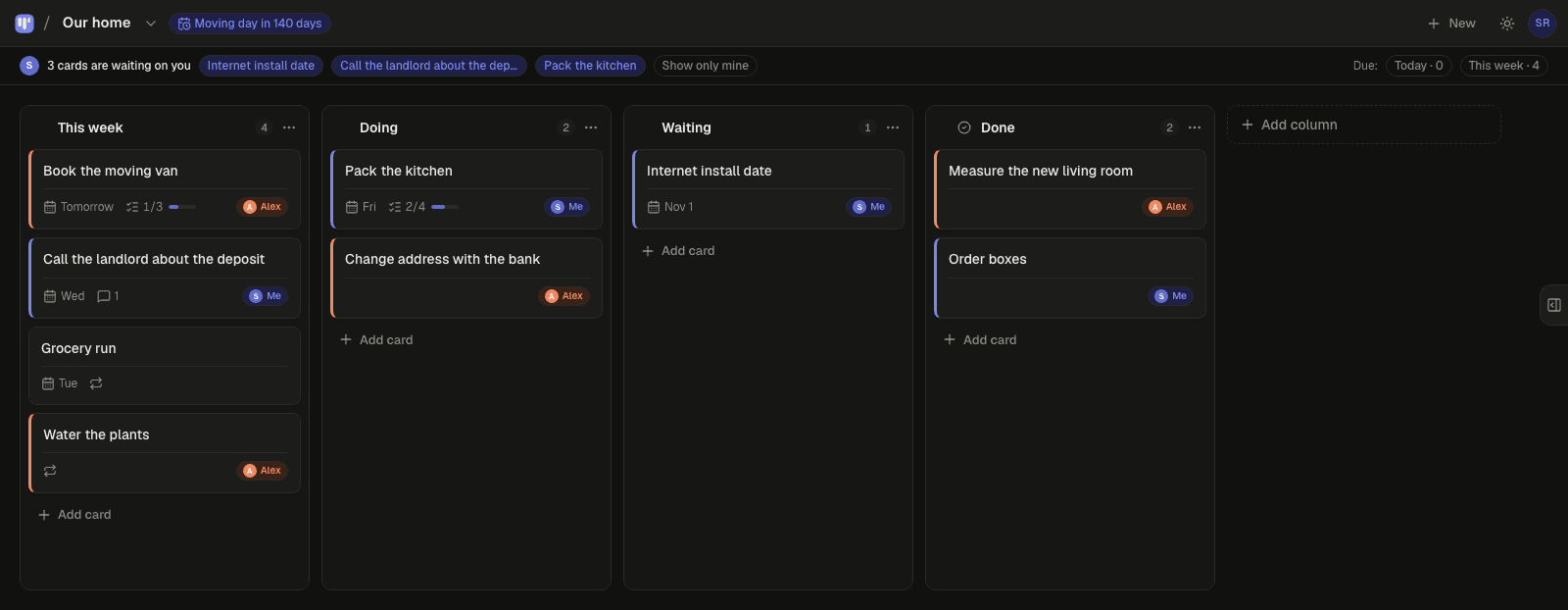
- Due dates with a calm Today / This week filter, a private calendar feed for Google, Apple or Outlook, and a countdown on the board for the date that matters.
- Notes, checklists and comments live inside each card, so the context travels with the task.
- A repeating card for the weekly check-in or journal entry, if that's part of your practice.
- Your client joins from your invite link with a name and an email — no password, nothing to pay. Both of you have the full app on your own phone; it installs like an app and works offline for reading.
Privacy and boundaries
Each board is shared between exactly two people; a coach with several clients keeps one board per client and only the invited client can see it. Simpleban is not a clinical records system and shouldn't hold anything you'd need to keep under a professional confidentiality regime — keep that in your notes; keep the actions here.
Templates to start from
Questions, answered
- Can I use it with several clients?
- One invited person per account. Coaches who run several clients typically keep a board per client and share only that board, or use a second account for additional pairs. For more clients on one account, flat-rate plans (never per seat) are coming soon.
- Does the client pay?
- Simpleban is free forever for two: you and the one person you invite get every feature, unlimited boards and cards, no trial and no credit card. The promise is written into the Terms: nothing that is free today will ever move behind a paywall, and your +1 never pays. If you need more people or want to share boards beyond your +1, we'll soon introduce subscription tiers — a flat rate, never per seat.
- Is it suitable for therapy notes?
- No. Use it for agreed actions and reflections the client is happy to share, not for clinical records.
- Does the other person need to pay or install anything?
- No. They open your invite link, type a name and an email, and they're on the board. Installing it as an app on their phone is optional. Simpleban is free forever for two: you and the one person you invite get every feature, unlimited boards and cards, no trial and no credit card. The promise is written into the Terms: nothing that is free today will ever move behind a paywall, and your +1 never pays. If you need more people or want to share boards beyond your +1, we'll soon introduce subscription tiers — a flat rate, never per seat.
Make the week between sessions visible
Start a board, invite your client, add this week's actions.
Your board starts as “Weekly habits” — columns and example cards you can change or delete.
Try the live demo board first